Showing posts with label Cloud. Show all posts

Wednesday, March 12, 2014

SPC 2014 @Las Vegas - What a Cloudy conference !


With the location as lucrative as Las Vegas - The Venetian, why wouldn't I want to attend the conference! From Neudesic, I was one of the handful who got to attend the conference, What excited me was the announcement on their home page: President Bill Clinton was the keynote speaker.. and a ton of sessions for the cloud platform!!
 
Keynote: Bill Clinton
 While the keynote was in progress, I did understand that the prime reason Bill Clinton was invited was to discuss conference’s main theme “How technology allowed people to connect, transform, reshape, and played a huge role to solve much bigger humanity issues”


I kind of enjoyed President Bill Clinton’s non-technical speech, since we are so used to hearing all the technical buzzwords in the keynote. He did not mention the word SharePoint even once in his entire speech. That’s being technology agnostic but promoting how we can Connect, Re imagine and Transform.


video of Keynote: 


Work like a network:


Key Announcements:


  •  I was very anxious to see the full integration of Yammer’s social capabilities into SharePoint. And to say the least I actually used it in MYSPC and am still in the process of exploring more about this. 

  • A new set of API’s are now available across Office365, which can be used in Office Apps & SharePoint Apps. o365 provides now a seamless way to integrate across. You can now use the same API to upload a file to OneDrive for Business, or get a list of o365 users, or integrate with an Exchange calendar. A new Site Provisioning API is a great one to look out for!

  • Groups in Office 365 was talked about. Creating a new group in will create an inbox, social feed, calendar, and document library that group members can use to get the job done. All the social features now leverage email and yammer.

  •  Apps for Access: Access Services was widely talked about, but still needs to be evaluated before gaining credibility.

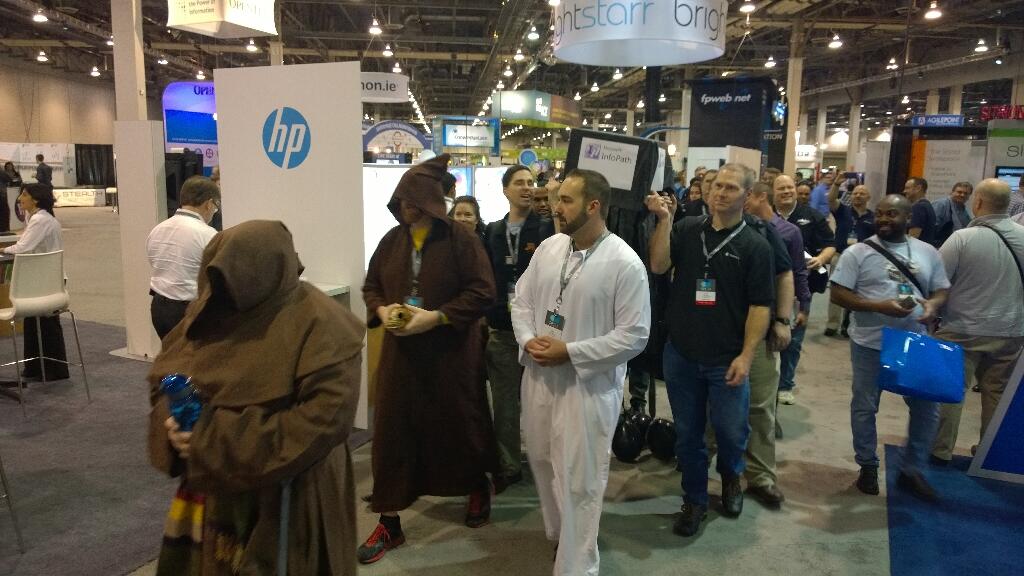
  • InfoPath has died… The ListForms is the true replacement for InfoPath, it’s all HTML5, but it’s also quite basic and new right now. . There was even a funeral ceremony for this.

Here is the roadmap that was discussed in one of the sessions:


The new route is to choose from the below carefully:

  1. K2 Smart Forms
  2. Nintex
  3. Formotus
  4. QDabra


  •   OneDrive for Business as a standalone service – its cloud only. 25GB per user, Promotional pricing: $2.50 per user per month in all licensing agreements/programs (50% discount). For customers with Office with SA or Office 365 ProPlus: $1.50 per user per month; agreement types included: Open, Enterprise Agreement, and MPSA.  (One Drive Blog Here)

  •   OSLO: One secret sauce that was exposed to the world in SPC14 was Office Graph and codename Oslo - an innovative solution for personalized work spaces. Oslo is a code name for new people-centered personalized & contextual experience and proactive insights in o365. Users will get information through personalized insights that are created by analyzing content, interactions, and other activity streams across o365, Oslo experience will be available by second half of 2014 in o365, No on-premises roadmap available for Oslo.  More details here.


Office 365 Innovations:

  •   1 TB Site Collection, Limitless Tenant (customers pay for storage)


  •   Codename Fort Knox – encrypting shredded storage  Multi-Factor Authentication Support for General Users – It’s been available to Admin Users since June 2013, available for any users since Feb 2013, increases the security of user log ins for cloud services above and beyond just a password, users are required to acknowledge a phone call, text message, or an app notification on their smart phone after correctly entering their password  Next-Gen pre-built portals like new Office 365 Video Portal (many more pre-built portals are coming down the road in Office 365) – Soon available on Office 365
 
  •  Office Power BI capabilities - Already available on Office 365  Get it here to start a free trial for 30 days on o365 environment.
 
  • Integrated Yammer Group experience in OWA, new Office 365 Video Portal, and Office Online (formerly known as Office Web Apps) – Soon available on Office 365


Jared Spataro aptly mentioned that “Cloud is on fire”  & Jeff Teper went on to say that “Cloud is the key”.

This year’s conference without a doubt demonstrated that o365 is where all the innovation happens and is the favorite child of Microsoft.

WOMEN EMPOWERMENT :

I have never been so motivated to go attend any women specific seminars, but my friend wanted to go and so I accompanied her. Women in SharePoint (WSP) is dedicated to helping women working as SharePoint professionals reach their career objectives through a variety of community, training and mentoring programs. I attended the lunch meeting with quite a handful of women in Technology Lunch and Panel and was happy to see the panel and their expert comments and suggestions. Glad I went there, it was an experience of its kind. Very Inspirational and once again reassured me that all of the celebrity SharePoint Women face similar challenges as I do and come up with innovative solutions to set themselves up for success!!! We all have to make some difficult decisions from time to time and EMBRACE ourselves.

SharePoint Conferences are unique and affect my professional career at a lot of different levels. It gets me focus on my career in the right direction, I learn about the new SharePoint related products and vendors. I connect with my very own Neudesic people whom I never met and make new friends who I have only followed on Twitter.


I made some special friends this time and hopefully it will turn out to be one of my best friendships ever! Uma – Are you listening? :-)
Miss Ya girl - I had such a good time with my group at the Red Avepoint Evening party,
Neudesic Las Vegas Motor Speedway grand event ! Some pictures from my memories of SPC 2014...


 It has been an incredible week full of product news, 250+ dynamic sessions, parties, discussions, and learning. Both the presentations and videos will be available on Channel 9 this week.

The PPTs are available now in Yammer and can be found under their respective session code or by track under files so you can catch up on any sessions you weren't able to attend in person.

TWITTER

Follow or search the tag #SPC14 to get insight into what our fellow community was thinking about the events per minute... WOW that was something!


Last but not the least khudos to the SPC team to manage such huge audience, Speakers, Vendors and manage WiFi, Food (Special mention to the Special Food), Snacks & Desserts (YUM) and the Ice-creams !

I really felt ALIVE during all the hectic sessions and late parties... Technical we are.. but we sure know how to enjoy a party!!! :-)



Until Next SPC ... keep Connecting, Reimaging and Transforming... Innovation is the keyword.. and so is the cloud!
 

Monday, November 4, 2013

o365 Sharepoint Online Branding

For the Sharepoint Saturday Chicago on Nov 2nd 2013 @the Hard Rock Hotel, downtown Chicago, I spoke on one of my favorite topics : o365 SP2013 Online Branding - How to make your SP online site not look like Sharepoint.

I had worked on gathering some good demos and the audience found it valuable. The public site that I showcased in my presentation is https://sponlinedemo-public.sharepoint.com/ , it is a carousel based site with static images as of now but can be easily changed to getting the images from the library. Well this site does not look like this was built on Sharepoint.. and guess what.. IT IS!


Here is the session details and deck from my presenation.


Monday, July 9, 2012

Sharepoint Online (o365 ) - Architectural Considerations


Sharepoint Online :   It is available at all times, It is constantly upgraded and it saves you loads on hardware and operational costs - isn't this what the cloud is all about? Then why is there a hesitation when we talk about the cloud to the clients and our trusted partners? Security of data, limited feature set, cost of migration of the existing environment, adoption, governance..?

Perhaps the greatest threat to adoption of Office 365 is not competitors, but rather reluctance of organizations to move data and applications from on-premise servers and clients to Microsoft’s cloud. Well... with all the tension free life of no-maintenance of the hardware and software comes a tradeoff of the rich feature set which is slightly compromised in the online version and the security of your hosted data concerns.

I spend a lot of time over the net searching for a central location to get the feature set comparison and was lost in the results. Finally, I decided to have all the information collated at one glance to help me in my understanding. The primary ones which shape the architecture of your o365 SharePoint online portal are mentioned here with details on the others tabled below. Hope this helps you as well.

Microsoft decided to exclude certain functionality from SharePoint Online at the time of launch in June 2011. In short, the most important capabilities missing in SharePoint Online are listed below which is very imnportant for architects like me to design a new portal or migrate the existing :


S. No. Features Not Supported
1 FAST Search 
2 Advanced Search Configuration 
3 Record Center - Last I heard this was being offered in the Dedicated online version.
4 Word Automation Services 
5 Business Intelligence Center 
6 Secure Store Service 
7 Web Analytics 
8 Mail Enabled Document Libraries are not supported, impacting Scanners & Scanner software
9 Locally installing custom software - Any third party agent cannot be run on the server.
10 Advanced public facing web sites 
11 Vanity URLs are not supported for intranet zone sites. They can only be applied to your SharePoint Online Public Website.
12 BCS within SharePoint Online does not support a direct connection to SQL Azure. A WCF endpoint is required.
13 Access reporting is not supported by SharePoint Online Access Services because SQL Server Reporting Services (SSRS) is not currently enabled for SharePoint Online. Access reporting requires SSRS.
14 SharePoint Online does not support auditing capabilities to log the opening and downloading of files in a document library.
15 SharePoint Online does not support PerformancePoint Services.
16 Editing the Public Website with SharePoint Designer is not supported.

Feature SharePoint 2010 Server SharePoint Online 
Developer Dashboard Yes No
SharePoint Timer Jobs Yes No
Business Data Integration with the Office Client Yes No
Business Connectivity Services Profile Page Yes No
Audit Opening and Downloading Yes No
Records Center Yes No
Word Automation Services Yes No
Business Intelligence Center Yes No
Chart Web Parts Yes No
Data Connection Library Yes No
PerformancePoint™ Services Yes No
Dashboards Yes No
Decomposition Tree Yes No
Excel Services and PowerPivot for SharePoint Yes No
Advanced Content Processing Yes No
Tunable Relevance with Multiple Rank Profiles Yes No
Business Intelligence Indexing Connector Yes No
SharePoint 2010 Search Connector Framework Yes No
Contextual Search Yes No
Deep Refinement Yes No
Federated Search Yes No
Query Suggestions, "Did You Mean?” and Related Queries Yes No
Relevancy Tuning Yes No
Rich Web Indexing Yes No
Enterprise Scale Search Yes No
Windows 7 Search Yes No
Similar Results Yes No
Thumbnails and Previews Yes No
Visual Best Bets Yes No
Advanced Sorting Yes No
Web Analytics Yes No


Feature SharePoint 2010 Server SharePoint Online 
Office Web Apps integration Yes – separate installation Yes – comes preconfigured


Feature SharePoint 2010 Server SharePoint Online 
Secure Store Service Yes Yes – Tenant Level
Public Website No Yes (one per tenant)

Feature SharePoint 2010 Server SharePoint Online 
Ask Me About Yes Yes
Blogs Yes Yes
Colleague Suggestions Yes Yes
Colleagues Network Yes Yes
Discussions Yes Yes
Enterprise Wikis Yes Yes
Keyword Suggestions Yes Yes
Memberships Yes Yes
My Site: My Content Yes Yes
My Site: My Newsfeed Yes Yes
My Site: My Profile Yes Yes
Note Board Yes Yes
Organization Browser Yes Yes
Photos and Presence Yes Yes
Ratings Yes Yes
Recent Activities Yes Yes
Status Updates Yes Yes
Tag Clouds Yes Yes
Tag Profiles Yes Yes
Tags Yes Yes
Tags and Notes Tool Yes Yes
Wikis Yes Yes
Client Object Model (OM) Yes Yes
Event Receivers Yes Yes
Language Integrated Query (LINQ) for SharePoint Yes Yes
Solution Packages Yes Yes
REST and ATOM Data Feeds Yes Yes
Ribbon and Dialog Framework Yes Yes
Silverlight Web Part Yes Yes
Workflow Models Yes Yes
Access Services Yes Yes
Browser-Based Customizations Yes Yes
Business Data Connectivity Service Yes Yes
External Data Column Yes Yes
Business Data Web Parts Yes Yes
External Lists Yes Yes
SharePoint Designer 2010 Yes Yes
Forms: Out-of-Box workflows and customization through SharePoint Designer 2010 Yes Yes
InfoPath Forms Services Yes Yes
Sandboxed Solutions Yes Yes
Workflow Yes Yes
Microsoft Visual Studio® 2010 SharePoint Developer Tools Yes Yes
Windows 7 Support Yes Yes
Workflow Templates Yes Yes
SharePoint Service Architecture Yes Yes
In-Place Legal Holds Yes Yes
Document Sets Yes Yes
Metadata-driven Navigation Yes Yes
Multi-Stage Disposition Yes Yes
Rich Media Management Yes Yes
Shared Content Types Yes Yes
Support for Accessibility Standards Yes Yes
Content Organizer Yes Yes
Unique Document IDs Yes Yes
Managed Metadata Service Yes Yes
Excel Services Yes Yes
Visio Services Yes Yes
Calculated KPIs Yes Yes
Best Bets Yes Yes
Extensible Search Scale Yes Yes
Duplicate Detection Yes Yes
Metadata-Driven Refinement Yes Yes
Mobile Search Experience Yes Yes
People and Expertise Search Yes Yes
Phonetics and Nickname Search Yes Yes
Recently Authored Content Yes Yes
Search Scopes Yes Yes
Single Site Collection Search No Yes
Site Search Yes Yes
Click-Through Relevancy Yes Yes
View in Browser Yes Yes
Basic Sorting Yes Yes
SharePoint Lists Yes Yes
Web Parts Yes Yes
Improved Governance Yes Yes
Large List Scalability and Management Yes Yes
Multi-Lingual User Interface (MUI) Yes Yes
Permissions Management Yes Yes
Quota Templates Yes Yes
Connections to Microsoft Office Clients Yes Yes
Audience Targeting Yes Yes
Cross-Browser Support Yes Yes
External sharing No Yes
SharePoint Ribbon Yes Yes
Mobile Connectivity Yes Yes
SharePoint Workspace 2010 Yes Yes
Out-of-the-Box Web Parts Yes Yes
Scalability Yes Yes
Templates Yes Yes
Accessibility Yes Yes
Configuration Wizards Yes Yes


An exact list of all capabilities missing from the SharePoint online offering is listed in the current Service Description. Over the upcoming service releases, scheduled every 90 days, Microsoft will begin introduce some of the aforementioned features and I am hopeful that the rich feature set is completely available in the online version as well.


Security of Data : Some countries and organizations have legal limitations on where their data can be hosted, this primarily is applicable for some sensitive data which is of a specific category. Microsoft’s Data Centers are located throughout the world and this might be a legal issue if you chose to go this route.  If your organization’s data cannot leave your region or continent, then Office 365 is not the solution for you currently.

Reference :
MSFT site
SharePoint Online Architectural Considerations